
10 Best Home Theater Troubleshooting Tips to Fix Sound Video and Connectivity Issues
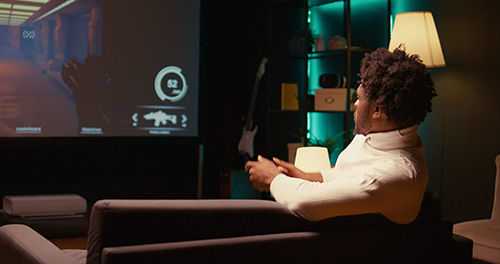
Many people prefer having a home theater system to have the highest quality entertainment experience while staying at home. But sometimes, you may also face some issues where the sound does not come out well, the picture gets blurry, or streaming starts to lag. These issues can be frustrating, but most of these problems are very simple to fix. Instead of guessing or randomly starting to replace equipment, you need to understand the root cause of the problem and try to fix it by following step-by-step instructions. We have created a simple and practical home theater troubleshooting tip guide, which can help you resolve these issues.
Why Home Theater Problems Are So Common
In home theater systems, multiple devices are connected to each other, and even a small problem can affect the whole system. Most of the time, problems happen because of cables, settings, placement or compatibility. If the speaker is placed in the wrong position or the right input is not selected, then the system will not work properly. Some common issues include:
Loose or damaged cables
Wrong settings or input selection
Wrong placement of speakers
Outdated software
Room environment like echo or glare
Troubleshooting becomes easier when we understand these minor things.
10 Simple Home Theater Troubleshooting Tips
Here are some simple and practical tips that help you diagnose and fix the most common home theater issues. Follow these and solve them without the need of any technical expertise.
1) Check All Cable Connections First
The first step is always to check your cables. Make sure your HDMI and Speaker wires are properly connected with the system. Even if they are slightly loose, it can disturb the signal. So always verify if your connections are secure, and if your cable is damaged, replace it as soon as possible.
2) Fix No Sound & Low Sound Issues Quickly
If the sound is not coming or feels very low, check the volume and mute button. Then, verify the input of the receiver to check if the device is selected or not. Also, check the speaker's wiring because sound issues are not always caused by settings.
3) Improve Speaker Placement for Better Sound Quality
Speaker placement highly affects the sound quality. If speakers are placed close to the walls or in a very enclosed space, the clarity and quality of the sound gets disturbed. Placing them at the right distance and level to keep the sound balanced.
4) Adjust Audio Settings & Run System Calibration
Adjusting the audio settings and running the calibration improves the sound quality a lot. The system automatically adjusts the sound with calibration. Adjusting bass and treble settings can make the sound better according to your room.
5) Fix Blurry or Dull Picture Quality Issues
If the picture is not clear, first check the display settings. Clean the screen and lenses of your projector because dust can also make the image blurry. Using a high-quality HDMI cable is important to get a proper signal as well.
6) Solve Audio Delay and Lip Sync Problems
Sometimes sound and video do not match or sync properly, and this is known as audio delay. To fix this problem, we have to adjust the AV sync settings so that the sound and the picture can be played at the same time.
7) Improve WiFi & Streaming Performance
Buffering and lag usually happen because of a weak internet speed. Keep the router close to the system or use an Ethernet cable for a stable connection. When the network is strong, the streaming will be smooth.
8) Update Firmware & Keep Devices Compatible
Outdated software makes your system slow and unstable. So it is important to update your device so that the bugs can be fixed and compatibility also gets improved.
9) Fix Remote Control & Signal Problems
If the remote control is not working, start by checking the batteries and replacing them if needed. Make sure no obstacles are blocking the signal between the remote and the device. In some cases, the issue may be due to a connection or pairing problem, which can usually be fixed easily.
10) Improve Room Acoustics
The room environment has a direct impact on both sound and picture quality. Soft furnishings like curtains and carpets help absorb sound and reduce echo, improving audio clarity. Controlling lighting also enhances the viewing experience by reducing glare and making the picture appear clearer.
Simple Maintenance Tips
Taking care of your home theater system on a regular basis can help you avoid many common issues. Simple maintenance steps not only improve performance but also keep your system reliable over time.
Regular cleaning is important to keep your home theater system running smoothly. Dust can collect on devices and block ventilation, which may lead to overheating and reduced performance over time.
Make it a habit to check all cables and connections periodically. Loose or damaged cables can cause sudden sound or picture issues, so ensuring they are secure helps avoid unexpected problems.
Keeping your system updated is very important. Software and firmware updates help fix bugs, improve performance, and ensure your devices remain compatible with newer formats and technologies.
Planning small upgrades when needed can also improve your system’s efficiency. Updating older components helps maintain better performance and keeps your setup future-ready.
Proper maintenance not only improves day-to-day performance but also helps prevent long-term issues that may require costly repairs or replacements.
If you have tried basic troubleshooting and the problems still continue, it is best to contact a professional. A trained technician can identify the issues accurately and fix them without causing further damage.
Conclusion
Most home theater issues are not caused by faulty equipment but by small setup mistakes that are often overlooked. When you understand how your system works and follow a clear troubleshooting approach, it becomes much easier to identify and fix problems without unnecessary frustration or expense. Instead of relying on guesswork, focusing on connections, settings, and placement can solve the majority of issues.
Front Row Theater offers custom home theater design services and installation to create the perfect experience as far as visuals, sound and aesthetics you are looking to achieve by bringing the theater to your home. Customers can call Front Row Theater at 954-351-8985.
A well-configured home theater is not just about having expensive gear, but about how efficiently everything works together and about synergy between the components. With the right setup, regular maintenance, and a bit of attention to detail, you can enjoy a consistent and high-quality entertainment experience without interruptions.
Frequently Asked Questions
Why is my home theater not producing any sound?
This usually happens due to loose cable connections, muted settings, or the wrong input being selected on the receiver or TV. Make sure all cables are securely connected and the correct source is active.
Why is my home theater picture not showing?
A missing picture is often caused by a faulty HDMI cable or selecting the wrong input source. Check your cable connections and ensure your TV or receiver is set to the correct input.
Why does my home theater sound low or unclear?
Low or unclear sound is usually the result of poor speaker placement or incorrect audio settings. Adjusting speaker positions and running system calibration can significantly improve clarity.
How do I fix audio delay in my home theater?
Audio delay occurs when sound and video are not synced properly. You can fix this by adjusting the audio sync or lip sync settings in your TV or receiver.
Why is my home theater buffering or lagging?
Buffering or lag is typically caused by a weak internet connection or network interference. Using a wired connection or improving your WiFi signal can help ensure smoother playback.


